Special Functions

Specific adjustments for selected vehicle models

Perform advanced operations on individual vehicle models, increasing the level of control and customization.

Overview

Special Functions are advanced functions dedicated to specific vehicle models.

Customize supported vehicles with targeted operations such as steering alignment, differential locking or unlocking, wheel size resizing and more, where available.

Special Functions complete the intervention with targeted adjustments, where supported.
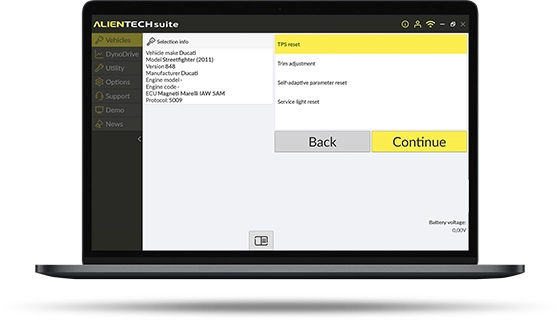
Special Functions are included in the KESS3 subscription and are available for all Powergate users.

Special Functions - Quick User Guide

1

First start-up and vehicle selection

  • Connect KESS3 or Powergate to the vehicle’s OBD diagnostic port and to the PC using the USB cable.
  • Launch the Alientech Suite software or the Powergate App.
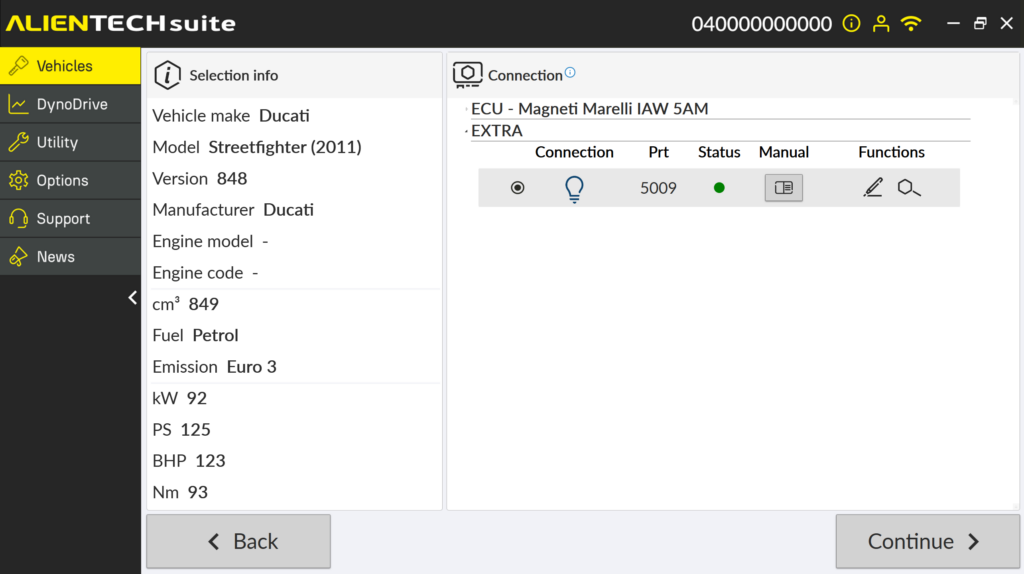
  • Select the vehicle from the list or search by model.
  • Check the availability of the Special Functions for the selected vehicle.

2

Function execution

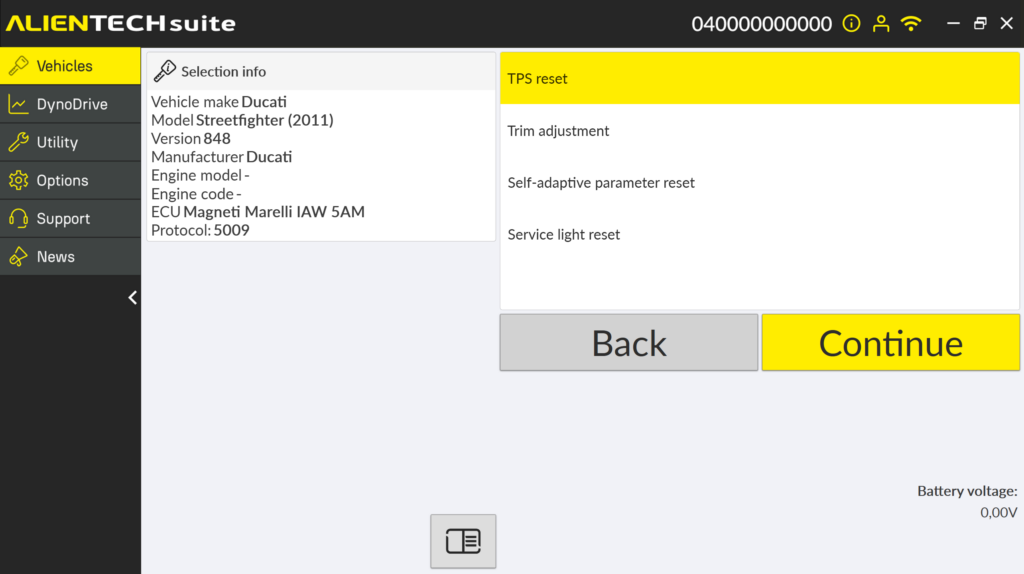
  • Select the operation you want to perform.
  • Follow the instructions shown on screen.
  • Complete the procedure while keeping the vehicle connected.

Would you like to receive more information about KESS3?

Contact Us

For any questions about Special Functions

Submit your application

Download Alientech Suite