

Simple
+190,000 Drivers available
+190.000 Drivers available
Automatic Driver association for uploaded files, powered by an always up-to-date database.
Flexible
2D, 3D, HEX and table view
2D, 3D, HEX, and Table view
Four reading and editing modes, always available and ready to be selected at any stage of the workflow.
Transparent
Clear, ready-to-use maps
Clear, ready-to-use maps
Maps with integrated conversion formulas, organized into categories and showing addresses and dimensions at all times.
Modify the files read from an ECU with more than 190,000 available Drivers, working on the useful parameters to build custom calibrations.
Overview
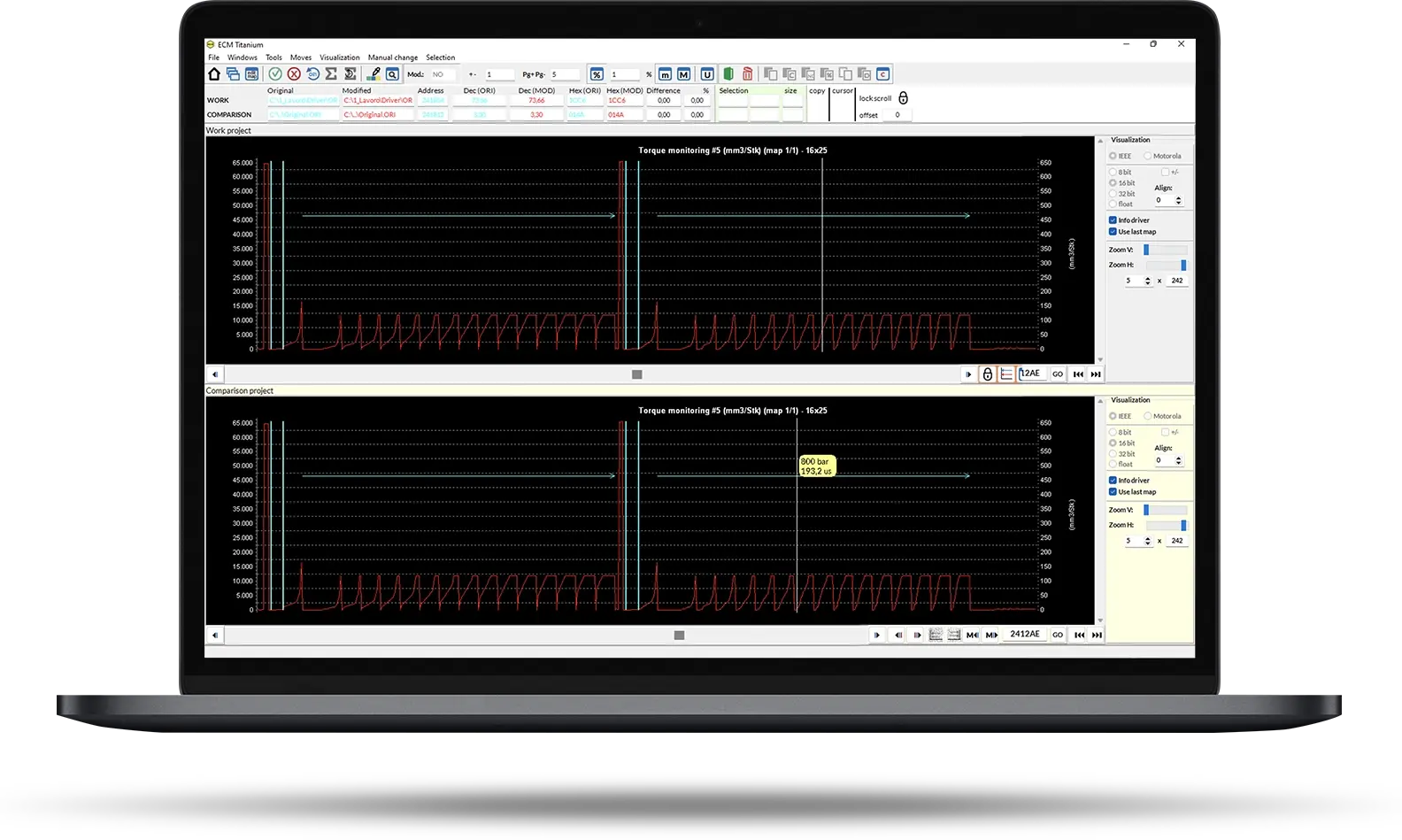
ECM Titanium supports your daily work: you analyze files, modify parameters and manage calibrations in a more organized way. With Drivers and the different display modes, you work on files in a clear and structured environment, adjusting parameters precisely without complex steps.
Starting from an original file read from an ECU, ECM Titanium automatically suggests the maps useful for modification, so you can work exactly where needed with readable, ready-to-use values.
You can compare multiple files to analyze differences, verify changes and copy entire sections to replicate the work on other projects quickly and consistently.
ECM Titanium means less complexity, more control and more structured calibrations.
Drivers
The beating heart of ECM Titanium
Inside complex calibration files, they identify and isolate only the useful maps, making them readable and ready for simple, effective tuning.
Driver not available? Open a ticket and request the creation of a dedicated Driver for your file.

Choose the business model that best fits your workshop.
Choose the business model that best fits your workshop.
ECM Titanium FULL
ECM Titanium FULL is the solution for working without operational limits, maximizing margins and, if desired, supporting a network of partner workshops.
- Unlimited editing
- 50 Driver downloads per day
- Download up to 5 original files per day
The price includes the ECM Titanium USB key and a 12-month subscription.
ECM Titanium CREDITS
ECM Titanium CREDITS is the solution for offering professional services with a more controlled and accessible initial investment.
Benefits:
- On-demand editing
- Full control over the number of calibrations
- Credit top-up at any time
- Upgrade to the FULL version at any time
The price includes the ECM Titanium USB key and 1,000 credits for on-demand services.
ECM Titanium FULL PROMO
ECM Titanium FULL PROMO is the FULL configuration for users who already own KESS3 Master.
- Unlimited editing
- 50 Driver downloads per day
- Download up to 5 original files per day
- Dedicated subscription discount (when paired with KESS3 Master)
The price includes the ECM Titanium USB key and a 12-month subscription.
ECM Titanium - Quick User Guide
1
First start-up
- Insert the ECM Titanium USB dongle into a PC.
- Log in with your Alien_ID or complete the guided registration.
- Launch the software directly from the USB drive; no installation required.

2
FILE UPLOAD AND RECOGNITION
- Load the original file read from the ECU with your programmer.
- ECM Titanium automatically recognizes the file and suggests the Driver.
- Confirm and access the calibration maps immediately.
Would you like to receive more information about ECM Titanium?
Alientech Academy
Training for professionals
Are you new to the world of chiptuning?
Nessun problema. Con Alientech Academy impari da zero a padroneggiare ECM Titanium e gli altri strumenti dell’ecosistema Alientech, con i corsi ufficiali e professionalizzanti online e in presenza.
Contact Us
For any questions about ECM Titanium
FAQ
Dashboard and cloud
Yes. Once an activation or renewal is completed, the status is updated in real time in the Dashboard and made operational on your tools.
You can manage activations, subscription status, active services and configurations in your ecosystem, with a complete and up-to-date overview.
Subscriptions, licences and pricing
Yes. You can adapt the solution according to the growth of your workshop.
Full → No operational limits, 100 downloadable Drivers per day, updates included and dedicated support. Ideal for daily use. Credits → You only pay for the Drivers you use. Perfect for those who work on individual vehicles or occasionally.
File modification and calibration
Yes. In addition to the guided mode with Drivers, you can work in hexadecimal for advanced operations.
Yes. You can work in table, 2D, 3D or HEX mode.
Yes. ECM Titanium allows you to copy and paste entire file sections, so you can replicate changes on another file quickly and precisely.
Changes must be made with expertise. The software provides clear tools and conversion formulas, but technical responsibility remains with the operator.
Yes. You simply need to import the original file read from the ECU.
Yes. ECM Titanium allows you to modify files completely independently, if you have the necessary skills.
Yes. ECM Titanium is regularly updated with improvements, new features and optimizations.
The software helps manage parameters, but it is essential to know calibration logic to ensure correct and safe results.
No. ECM Titanium works on the original or modified file read from the ECU. Writing to the ECU is performed using a dedicated programming tool.
No. It is file editing software. To read and write to the ECU, you need a dedicated programmer.
You can consult the database directly from the software or contact technical support.
There is no numerical limit. You can work on any file read from an ECU.
Yes. ECM Titanium is designed to be intuitive. Drivers show maps clearly and the software guides you through parameter editing.
No. The interface is simple and the display modes (table, 2D, 3D) help you quickly understand the file structure.
They are packages that identify and clearly display calibration maps inside the original file.
You can open a ticket: the technical team can create a dedicated Driver for your original file.
You start by uploading an original file read from the ECU. The software recognizes the Driver and shows you the maps available for editing.
Any car, motorcycle, LCV, truck, tractor or marine vehicle. ECM Titanium is compatible with any original file read from an electronic control unit, even if that ECU is not supported by tools in the Alientech ecosystem. If the Driver is not present in the database, you can request it from technical support: the team creates the dedicated Driver associated with your file, allowing you to work without operational limitations.
File management and offline use
Yes. ECM Titanium allows you to compare two files at the same time to make it easier to identify changes from one to the other or to verify originality and compatibility.
Yes. You can create and archive different calibration versions for comparison and future development.
Yes. Thanks to the USB dongle, where you can save Drivers, original files and modified files, you can use ECM Titanium without an internet connection. Just insert the dongle into any PC and start working.
No. The software is contained in the USB dongle.
Business, dealers and growth
It depends on the number of calibrations you perform. Even a few modifications per month can generate a good return on your investment, especially if you work independently.
Getting started
It is not mandatory but recommended if you want to work at an advanced and professional level. With Alientech Academy you can accelerate your learning.
Training
Yes. The content is designed to integrate with the Alientech ecosystem, helping you use tools and software with greater awareness.
Support
You can request support for reading/writing procedures, software use, operational errors, protocol compatibility and management of Alientech functions.